Set up an event with online registration
From club night to course or members' day: create an event, let participants register and pay online, and keep all registrations in one place — without loose forms, spreadsheets or typing errors.
Why online registration?
Most associations still handle registrations by email, a separate form or an Excel list. That means retyping by hand, chasing payments and never being quite sure who is coming. In Ledenboek you get it right in one go: you create the event, share one link, and the registrations and payments come in automatically.
You keep a real-time overview of who has registered, who has already paid and how many places are still available. Participants automatically receive a confirmation, and the money goes straight to the association via your own payment provider.
Step by step
-
1
Create an event
In the admin area, go to Events and click New event. Fill in the title, date, start and end time and the location. Optionally add a description and a photo — these will appear on the public page.
-
2
Enable online registration
Tick "registration required". Optionally set a maximum number of participants (registration then closes automatically when full) and a registration deadline.
-
3
Decide who can take part
Choose whether the event is public (anyone can join), members only, or limited to certain groups. Members can verify themselves, so you know for sure that a registration really comes from a member. You can also add your own questions, for example dietary requirements or the number of dogs.
-
4
Set up the payment
Choose no payment, payment required, payment optional or only non-members pay. With an amount, you can have it multiplied by a quantity and give that quantity its own name (for example "Number of dogs" × €5). The system then automatically calculates the correct total.
-
5
Publish and share the link
Publish the event. You get a neat public page with its own link that you can share by email, socials or your newsletter — or you embed the registration form on your own website with a single line of code.
-
6
Track the registrations
The participant overview shows all registrations and payment statuses live. You can download a participant list (for example for the venue or the catering) and see how many have already paid.
What the participant sees
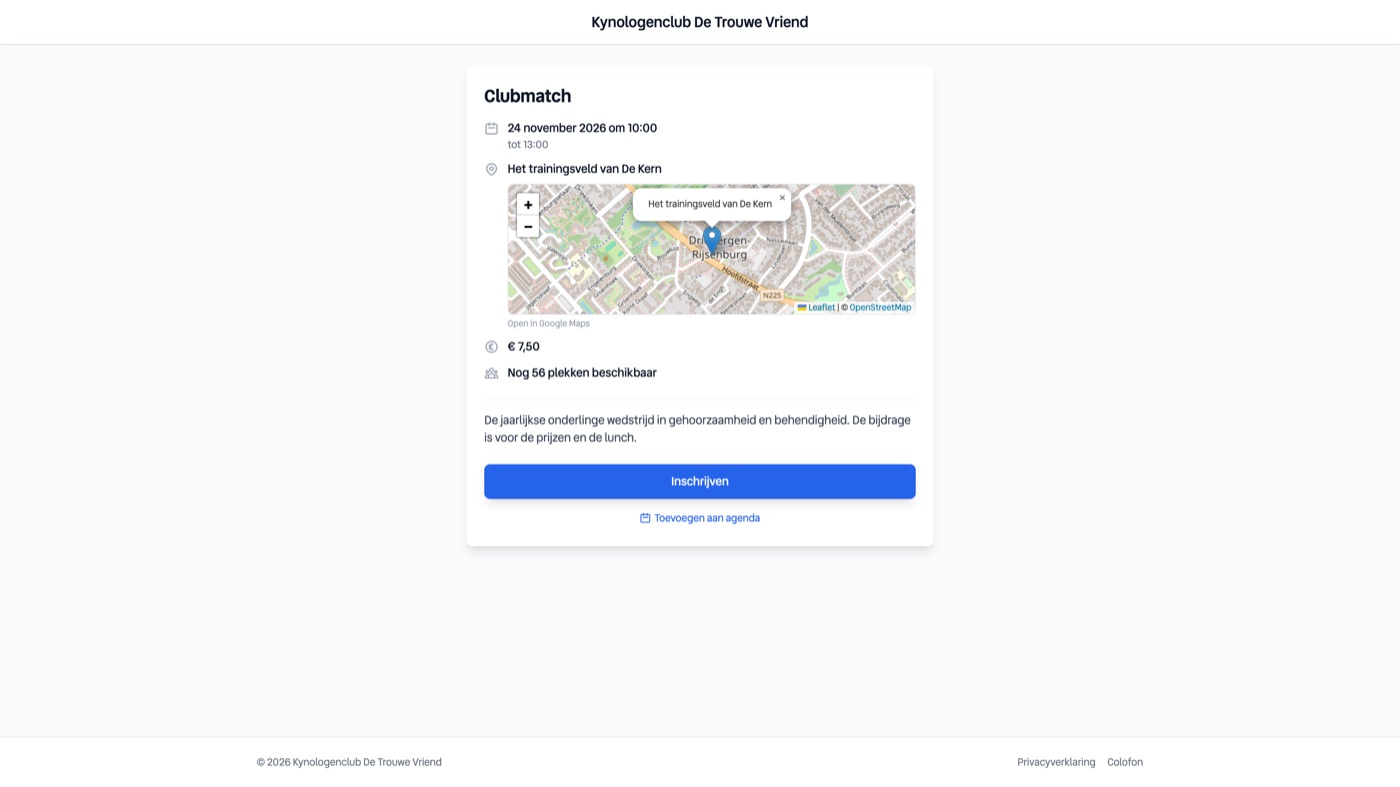
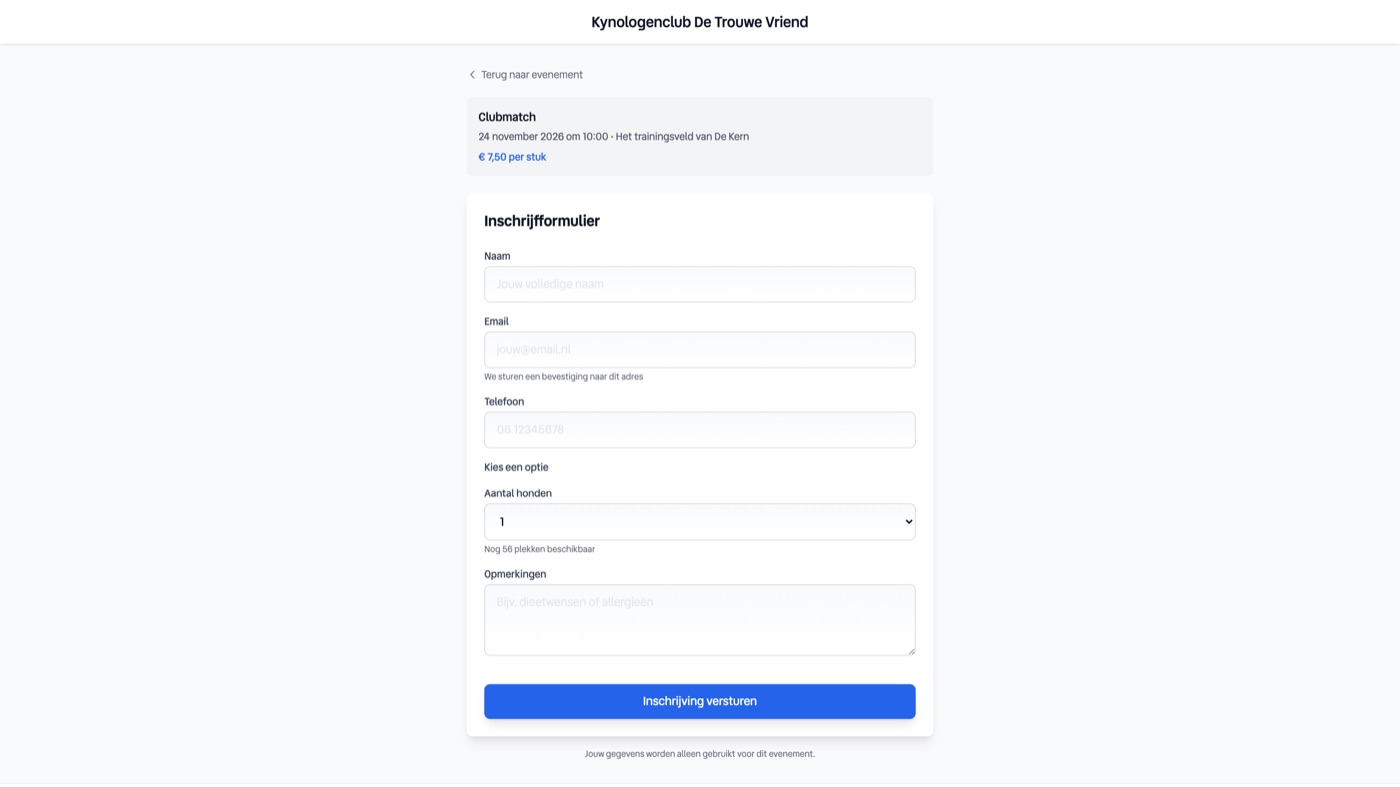
The participant opens the link and sees a polished event page in your house style: title, date, location on the map and the description. With one click on Register they fill in their details and answer any extra questions.
If an amount is attached, they pay directly online (for example with iDEAL). They then receive a confirmation by email, and the registration appears in your overview right away — paid and all.
Your overview
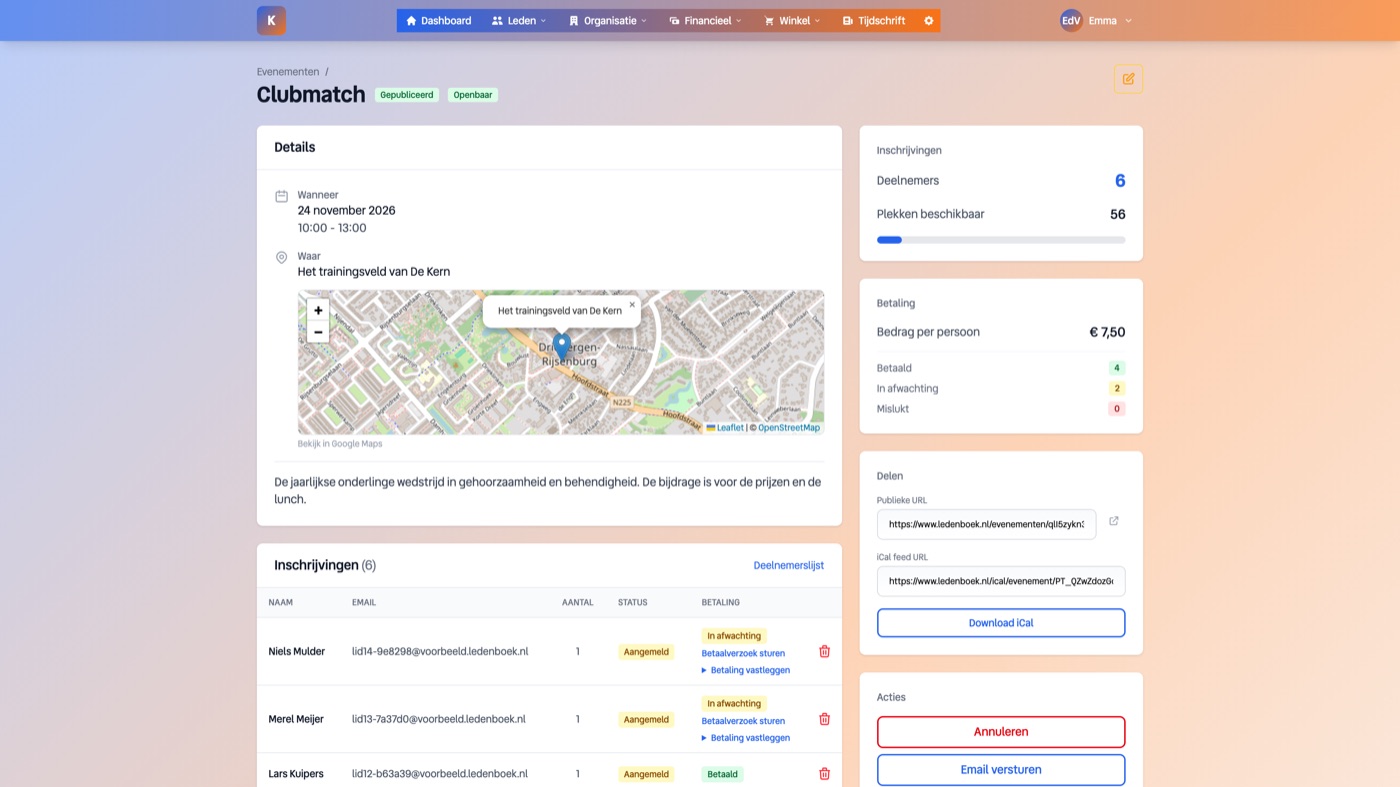
In the admin area you see per event all registrations, how many places are still available and who has already paid. One glance and you know where you stand.
Useful extras
- Payments go through your own payment provider (Mollie), so the money goes directly to the association and not to an intermediary.
- The comments field can be switched on or off per event.
- The quantity field gets its own label and price, handy for "number of people", "number of dogs" or "number of nights".
- Participants automatically receive a confirmation email; you don't have to send anything.
- You can embed the registration form on your own website, so visitors don't have to leave your site.
Frequently asked questions
Can an event also be free?
Yes. Set payment to "free" and participants register without paying. You still keep the full overview of registrations.
Does a participant have to be a member?
You decide per event: public for everyone, members only, or limited to certain groups.
Where does the money end up?
Directly in the account linked to your payment provider. Ledenboek is not in between.
Can I see who hasn't paid yet?
Yes, the participant overview shows the payment status per registration, and you can export the list.